
AI automation
AI automation that gives your team hours back every week
We automate repetitive work with AI. Think lead qualification and follow-up, inbox and document processing, CRM updates, reporting and support replies. We build with n8n, Make, Zapier or custom code, connected to the tools you already use.
Who it is for
- Teams copying data between tools by hand
- Sales teams that lose leads because follow-up is slow
- Operations drowning in emails, PDFs and spreadsheets
- Companies that tried a no-code tool and hit its limits
What you get
- Automation audit
- We map your processes and estimate hours saved per automation, so you start with the highest return.
- AI workflows
- Production-ready workflows that read, classify, summarize, extract and write, with human approval where it matters.
- AI agents
- Agents that research leads, draft replies, update your CRM or answer customers, with clear limits and logs.
- Integrations
- Connections to your CRM, inbox, calendar, accounting, Slack, Notion, Google Workspace or Microsoft 365.
- Monitoring and cost control
- Error alerts, run logs and AI cost tracking so automations keep working after launch.
- Documentation and handover
- Clear docs and a walkthrough so your team understands and owns every automation.
Automation we run in production ourselves
Our own product, Listrino, runs a fully automated growth engine. It finds prospects, scrapes and analyzes their listings with AI, scores each lead, publishes a personal report, sends a two-step email sequence, and cancels follow-ups the moment someone replies. One person runs it from the command line.
We bring the same engineering to client automations: retries, logs, human approval steps and cost tracking. That is the difference between a demo and a system you can rely on.
Common AI automations we build
- Sales: enrich and score new leads, draft personal first emails, log calls and notes into the CRM.
- Operations: read invoices, orders and contracts, extract fields and push them into your systems.
- Support: classify tickets, suggest answers from your knowledge base, route urgent cases to people.
- Marketing: turn one piece of content into posts, newsletters and briefs in your brand voice.
- Management: weekly reports from your tools, summarized with the numbers that changed.
When not to automate
If a process changes every week, or a mistake would be very costly and hard to detect, we will tell you to wait or keep a person in the loop. A good automation partner says no sometimes.
How it works
- 01
Map
We document the process step by step and find where AI can take over safely.
- 02
Prototype
A working version on real data within days, so you can judge the output quality.
- 03
Harden
Error handling, approvals, logging and security for production use.
- 04
Run and improve
We monitor results and costs, then extend the automation as your needs grow.
Tools and platforms
- n8n
- Make
- Zapier
- OpenAI API
- Anthropic Claude API
- Google Gemini API
- Apify
- HubSpot
- Pipedrive
- Airtable
- Slack
- Resend
Related work
 Our product
Listrino
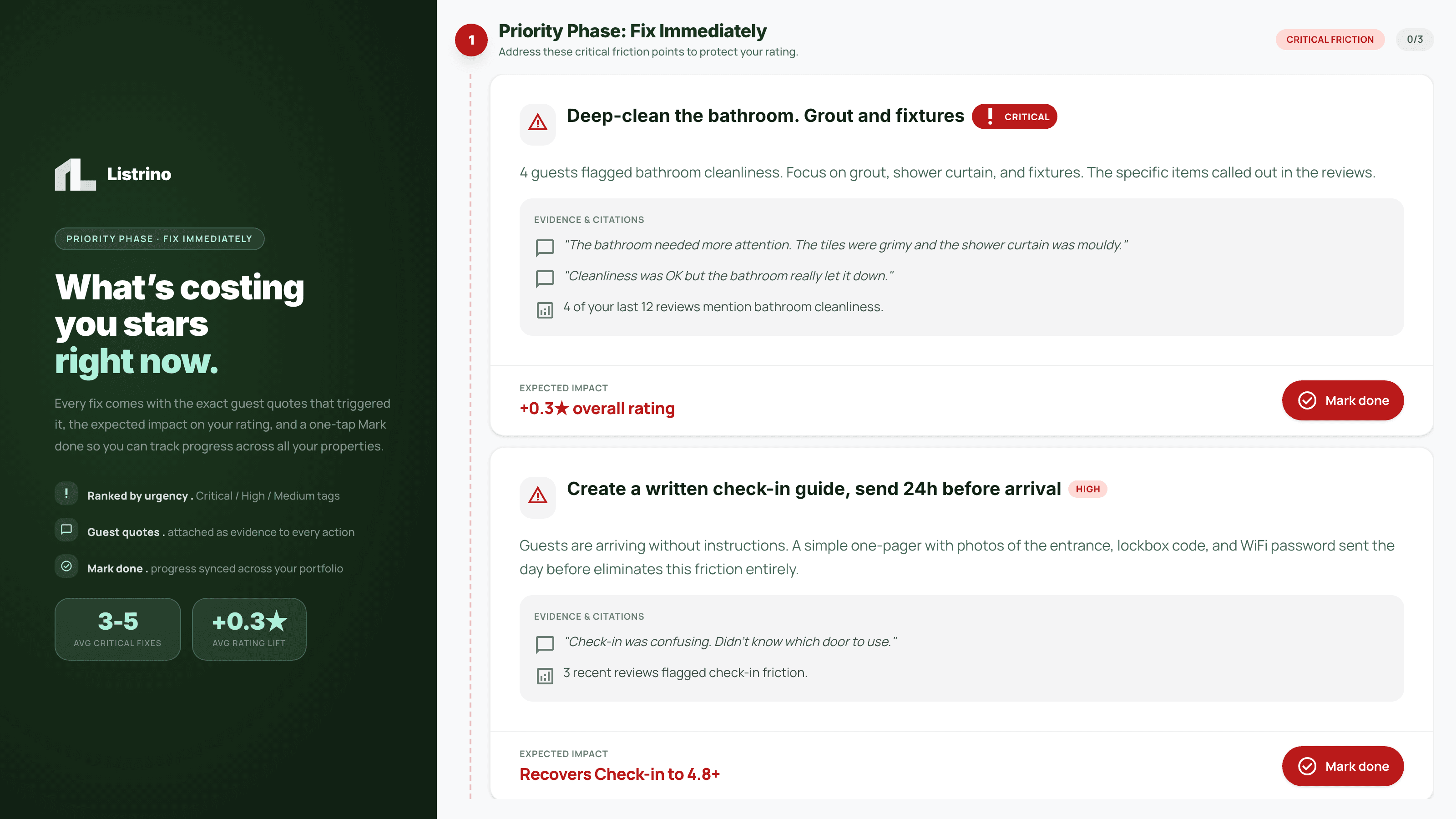
A grounded AI engine that turns 15 hours of analysis into 2 minutes
Listrino is our own AI SaaS for Airbnb and Booking.com hosts. We built an AI pipeline that combines scraped listing data, guest reviews, local competitors and platform guidelines into a ranked action plan, with every recommendation checked against its source before a user sees it.
< 2 min per report, down from 15+ hours of manual work
Read case study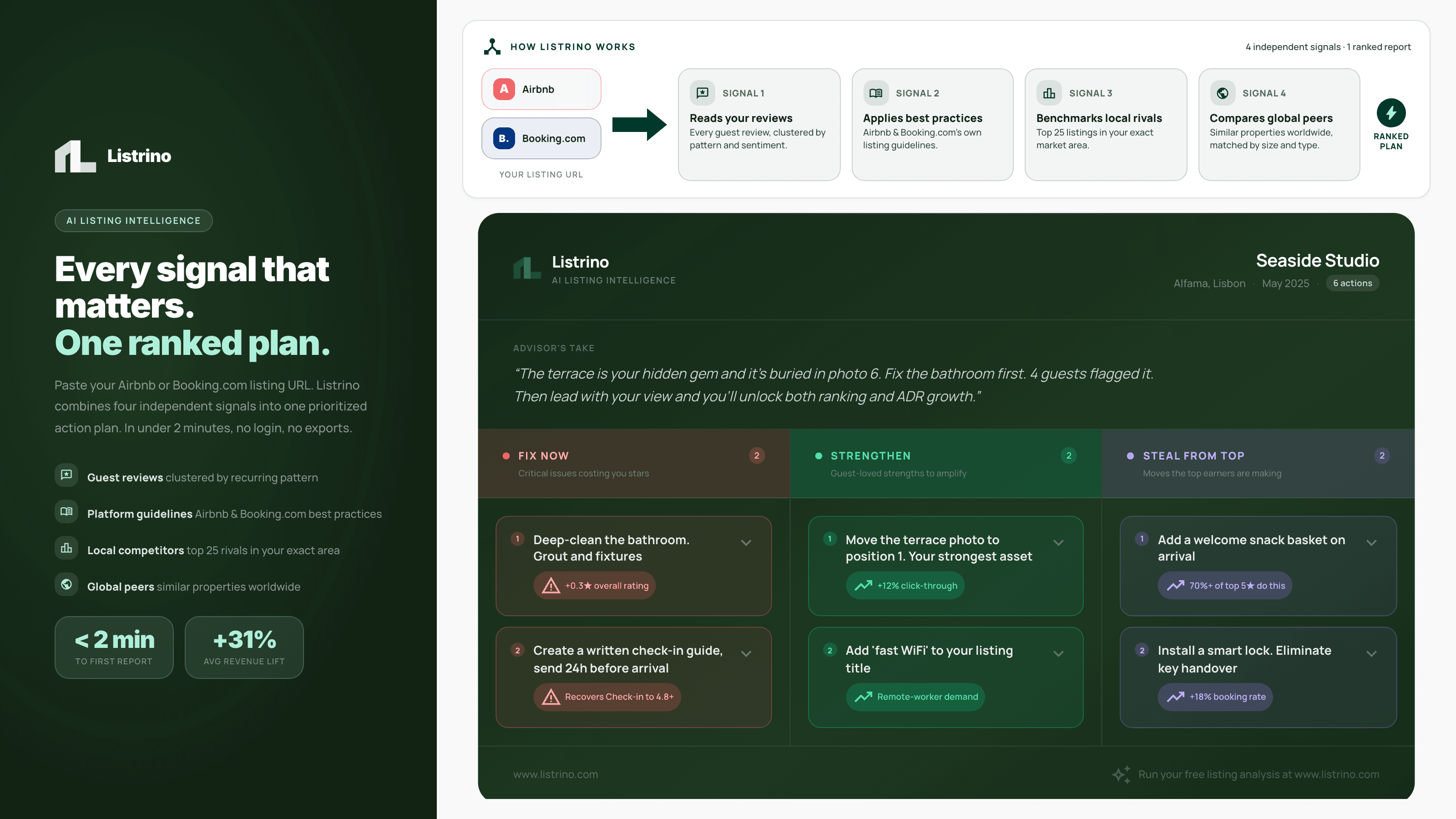 Our product
Listrino
An AI outbound engine that finds, analyzes and emails prospects on autopilot
We built a fully automated outbound pipeline for Listrino. It discovers hosts city by city, analyzes their listings with AI, scores each lead, publishes a personal audit, sends a two-step email sequence and stops follow-ups the moment someone replies.
1 person runs the full pipeline from the command line
Read case studyFrequently asked questions
What is AI automation?
AI automation uses language models inside business workflows to handle tasks that used to need a person, such as reading emails, extracting data from documents, qualifying leads or drafting replies. Unlike classic automation, it can deal with messy, unstructured input.
Which processes are best to automate with AI first?
Start with tasks that are frequent, rule-based enough to check, and painful today. Lead follow-up, inbox triage, invoice and document processing, meeting summaries into the CRM and weekly reporting usually pay back fastest.
Should we use n8n, Make, Zapier or custom code?
Zapier and Make are fastest for simple flows between popular apps. n8n is better for complex logic, high volume and self-hosting for data control. Custom code makes sense when you need full control, low cost per run or deep product integration. We pick per use case.
What is the difference between an AI workflow and an AI agent?
A workflow follows fixed steps where AI handles specific parts. An agent decides its own next step to reach a goal, using tools you allow. We use agents only when the flexibility is worth it, and always with limits, logs and human approval for important actions.
How much does an AI automation cost to run?
Most business automations cost a few euros to a few hundred euros per month in AI and platform fees, depending on volume. We estimate running costs before building and add cost tracking after launch.
Is our data safe in AI automations?
We keep data in the EU where possible, use business API terms that exclude training on your data, limit what each step can access, and can self-host n8n on your infrastructure.
Have a project or an AI idea?
Tell us what you want to fix or build. We reply within one business day with honest next steps.